

With Macaly, you can build websites and web applications by describing in your own words what you want to create. Starting your first project does not require any programming skills.
In this guide, we will go through how to open Macaly, create a new project, give your first instruction and continue developing the project after the first version has been created.
1. Open Macaly
Log in to the Domainhotelli customer area and open the Macaly service.
Services -> Log in to workspace

Macaly opens in its own workspace, where you can see your existing projects and start a new project.

2. Create a new project
Start creating a new project from the Macaly start view.
Macaly will then ask you to describe what you want to build. You can write your instruction in ordinary language.
3. Describe what you want to build
A good first instruction tells Macaly at least the purpose of the project, the target audience and the most important pages, views or functions.
For example, a first instruction for a website could be:
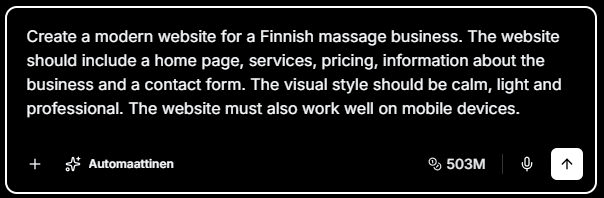
Create a modern website for a Finnish massage business. The website should include a home page, services, pricing, information about the business and a contact form. The visual style should be calm, light and professional. The website must also work well on mobile devices.
For a web application, the first instruction could be:
Create a simple customer portal. The user should be able to log in, view their own projects and open the details of an individual project. Add an admin view where customers and projects can beshown in a list.
You do not need to define the technical implementation. Focus first on what the user should see and be able to do.
4. Let Macaly build the first version
When you send the instruction, the Macaly Agent starts building the project based on it.
Depending on the project, Macaly can create for example:
- pages and views
- navigation
- text and content structures
- buttons, cards, tables and forms
- images or image placeholders
- a responsive user interface
- functions required by the project
The first version does not need to be final. Its purpose is to give you a starting point that you can develop with new instructions.
5. Review the result in Preview
When the first version is ready, review the project in Preview.
For a website, check for example the page structure, navigation, text, images and mobile view. For a web application, also check that the most important views and the user’s flow through the application match your goal.

6. Request the first change
You can continue developing the project by writing a new instruction in the same conversation. Macaly uses the existing project as the starting point for the change.
For example, on a website:
Change the main heading on the home page to “Better wellbeing for everyday life” and add a “Book an appointment” button below it. Keep the rest of the hero section unchanged.
In a web application:
Add status, responsible person and last updated date to the project details page. Show the information as clear cards at the top of the page.
7. Develop the project step by step
It is usually better to build the project in smaller steps instead of trying to define everything in one long instruction.
1. Build the basic structure first.
2. Review the most important pages or views.
3. Refine the content and visual design.
4. Add the required functions.
5. Test the user’s most important flows.
6. Finish and publish the project only when you are satisfied with the result.
If Macaly does something differently from what you intended, explain as clearly as possible what you want to keep and what you want to change.
What next?
Once your first project has been created, the next step is to learn how to give Macaly clear and effective instructions.